AS5402T Test VM: a disposable ADM to test and build on, without touching your real NAS

AS5402T Test VM: a disposable ADM to test and build on, without touching your real NAS

I made this app so you can try things on a NAS without polluting it. It runs a complete copy of ADM (this model and version) inside a sandboxed virtual machine on your own NAS. Install apps, change settings, compile software, break things, and then reset the VM’s disk to start clean. Your real ADM, data and apps are not touched.

Why
Developers Corner lets developers choose which ADM versions an app supports, but hardly anyone has every NAS model and ADM version on their desk. This app closes part of that gap: Asustor owners can check how an app installs and behaves on the AS5402T model before it goes live.

How it works
A switch in the app flips between Real NAS and Test NAS. In Test NAS mode, the test ADM answers on the NAS’s own service and app ports (SSH, FTP, Plex, …) and on its own web ports (default 8000/8001). The NAS’s own services are stopped for that time and return when you switch back.
The VM has no access to your volumes or shares. It gets its own virtual disks, kept on your NAS disks, either persistent or reset at every start.
Settings are available for CPU, memory, network card, kernel (including a build for testing VM or Docker apps inside the test ADM), disks, and an optional copy of your NAS certificate.
There is a command line (testvm) and SSH-key access for scripts, so tests can be automated.
The Test NAS runs in a sandboxed VM environment, so it can’t touch your Real NAS.

Good to know
It is a copy of ADM for the AS5402T only, so it can’t reproduce other models’ hardware.
Hardware acceleration (KVM) gives near-native speed; If choose not to make use of it, the VM is about ten times slower.
Plan for roughly 2 GB of free RAM while the test ADM runs.
It’s a first version, and since VM’s don’t have hardware, ADM functions that rely on hardware to be present might not function in the test VM, however building and testing your apk’s will work smoothly.

Other thoughts
Since Asustor doesn’t have a category “Developers” in the App Central, I’m not sure to what category to submit it to in Developers Corner and if Asustor would want this app to be published. I don’t think this app is particularly useful, except for Developers developing apk’s for AS5402T, so in my view it shouldn’t show up for regular users.
I don’t seem to be allowed to share the link to the APK, so send me a private message and I will send you the link to where it is on google drive.

Anyone has another model and want to help with building a similar apk for your model?
Where to find it:

drive.google.com
+
/file/d/1U18Ui5Hr0Cq9s6Wwie7vLC6dzlAZoW8B/view?usp=drive_link

Any feedback is welcome.

So excited to test this VM app. I installed it in my AS5402T and also AS6706T. Both installed and worked without any issue!
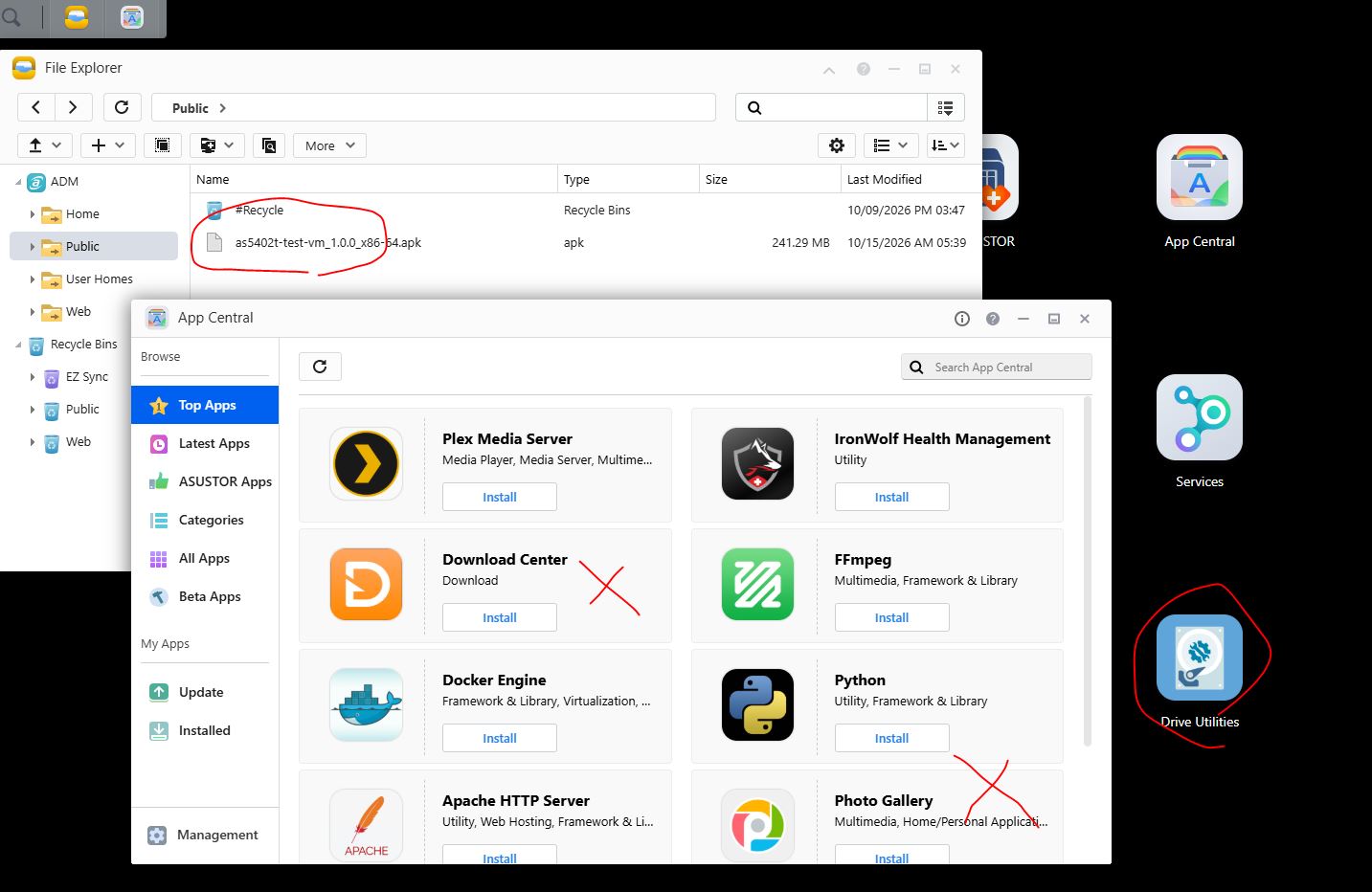
But seems like that some apps which require creating share folder will not install.

Ah thanks, that’s exactly the kind of feedback I’m looking for.

Unforunately the access rights asustor forum gives me is severely restricted.
Due to this your post shows “You do not have the required permissions to view the files attached to this post.” to me.
Regardsless I’m planning to test that scenario and fix it needs week.

With regards to the 1.JPG picture: Would it be possible to email me?

woops, that is not good. How come you can not see my attached photo? Anyhow, I uploaded to free hosting: https://ibb.co/ZR6TGGjc

I think it’s because I’m a new user. I just today got some additional access and can see your screenshot in this forum. I checked both download center and photo gallery, and the scenario you described, they should work properly again now.

If you find any other issue that could use a fix, or think of a feature that would be usefull, let me know.

Changelog:
1.0.3 Port Swap now stops and starts Web Center with ADM’s own control, so Web Center is running again after switching back to the Real NAS.
1.0.2 An upgrade keeps what the user set up: the automation keys and their rights, the panel’s choices, the admin password, an edited etc/testvm.conf, the log and the test ADM’s VM disks.
1.0.1 Apps that define a shared folder now properly install in the test ADM. Port Sap now also stops Download Center with a proper fallback.
1.0.0 First version: QEMU 11.0.3 + the ADM test image, Port Swap switching between the real NAS and the test VM (8004/8005), KVM modules loaded by the app, VM console on a private UNIX socket, seccomp sandbox, cgroup limits and chroot when started as root, never started at NAS boot.

Roadmap:

  • Implementing virtualized hardware to cover for the real hardware, so all ADM features work normally, but this might take while to complete, because it’s far from easy.

Where to find version 1.0.3:

drive.google.com
+
/file/d/1bVNPo-34CxFXND9_7U_yMbJhp5iKTCZl/view?usp=drive_link

Any feedback is welcome.

How did you do it? I can install Photo Gallery, Download Center etc.! This way, I can provide this VM to many friends and they can try it. After their trial, I can simply turn off and on the VM and then it is clean again.
BTW, is there any way to set the password for Test ADM VM? It is very lengthy and hard to copy.

Currently the random password feature was created with the thought that then you’ll never have an unsafe environment running on your network with something like a default password. Which prevents security hazards. I’ll make it easier to copy and also make it possible to set your own, with some complexity requirements. That should still make sure it’s secure, somewhere next week.

I was also thinking to add a feature to make app central in the test VM a bit more verbose. Currently when it fails it just gives you an error code, like in the real ADM, but for developers it’s good to know what the error code means, and the actions that led to the failure, to track down what to improve. That might be an easier feature to create then the virtual devices, which I’m still working on but might take longer to create.

What do you think?

would it be possible to assign a different IP address to the VM, or at least allow users to configure it themselves?

Here’s version 1.0.4. with the new password features
1.0.4 Added an icon to copy the Test VM password to clipboard. Added enforced complexity requirements to passwords and the possibility to set your own password. A new password now reaches a running test ADM the way ADM itself changes it: admin, root and Samba. Every password change writes a line about who did it into the System Log of the test ADM.

drive.google.com +
file/d/1ziRChrHyTVCc1HVg7gF6nCnWSxIlXWof/view?usp=sharing

To answer this question “Would it be possible to assign a different IP address to the VM, or at least allow users to configure it themselves”

In theory yes, that would also prevent your real NAS services needing to stop. I’ll see next week if it’s indeed as feasable as I currently think, there are quite a lot of things to consider here, e.g. you cannot have two DHCP’s running on the same network without creating conflict.

How did you do it? I can install Photo Gallery, Download Center etc.!

I accidently missed automatically mounting the Shared Folder path during boot, but this was added and hence it fixed the issue.

[quote=jaapvstr post_id=62761 time=1793962014 user_id=19482]
To answer this question “Would it be possible to assign a different IP address to the VM, or at least allow users to configure it themselves”

> In theory yes, that would also prevent your real NAS services needing to stop. I’ll see next week if it’s indeed as feasable as I currently think, there are quite a lot of things to consider here, e.g. you cannot have two DHCP’s running on the same network without creating conflict.
[/quote]

hi Jaapsstr

great !

Furthermore, would the admin be able to see the data and apps installed—via a log or some other means—within App Central?

What do you mean? It’s a disposable ADM, so App Central is there by default and will show apps installed. Not sure what you mean with data installed?

I made some progress on running the disposable test NAS on a different IP, but it’s not fully there yet. Hope to release it somewhere next week.

a shared folder with installed data by your app or something like that

If you feel that would make development of asustor Apkg’s more easy I’m happy to try and add it in the future. The shared folder they use is defined in the apk’s, so it should be possible to make that link more visible. What is the case you ran into that made you want this feature?

From my point of view, what I was thinking of with improvement to “AppCentral for Developers” is to have a trace of what happens when an app is installed. Now it just gives an undescriptive error code if it fails, like -161, and developers are then supposed to figure out themselves what that means to fix their apk.

I completely agree with you. These application error codes are not properly documented, which makes troubleshooting unnecessarily difficult for developers. ASUSTOR should provide clear documentation explaining what each error code means and how to resolve it. This would make APK development and debugging much easier.